在windows系统下安装使用Claude code, 并配置免费国产大模型
安装 Claude Code
官方文档: https://code.claude.com/docs/zh-CN/quickstart
在power shell(如果没有, 可以在Microsoft store中安装)中输入:
1 | irm https://claude.ai/install.ps1 | iex |
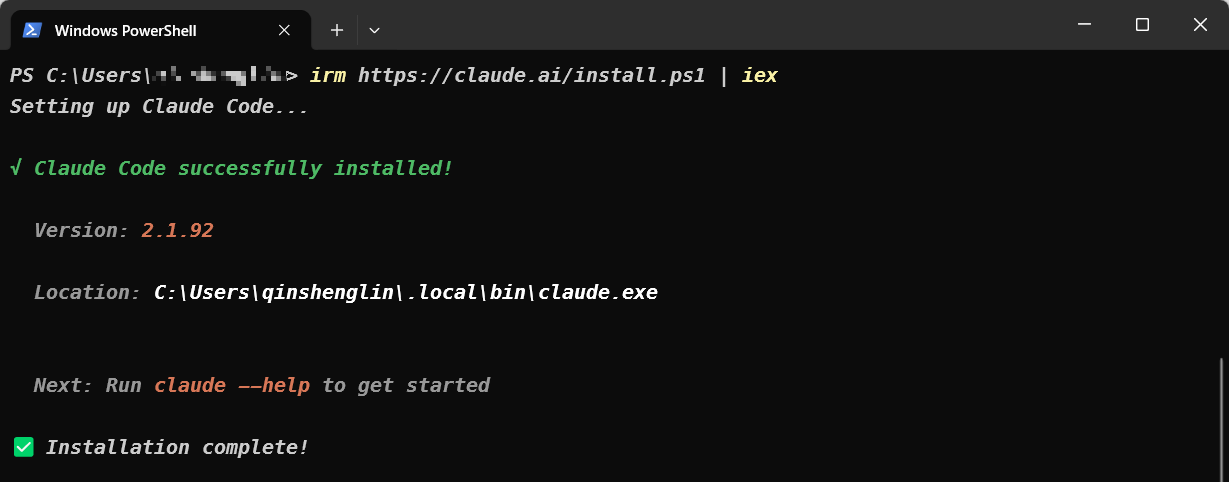
安装完成后先不登录
如果输入命令后无动作, 需配置网络, 在网络工具里复制终端命令粘贴后, 再次安装
配置与使用
这里使用的是智谱AI模型
官方文档: https://docs.bigmodel.cn/cn/coding-plan/tool/claude#claude-code
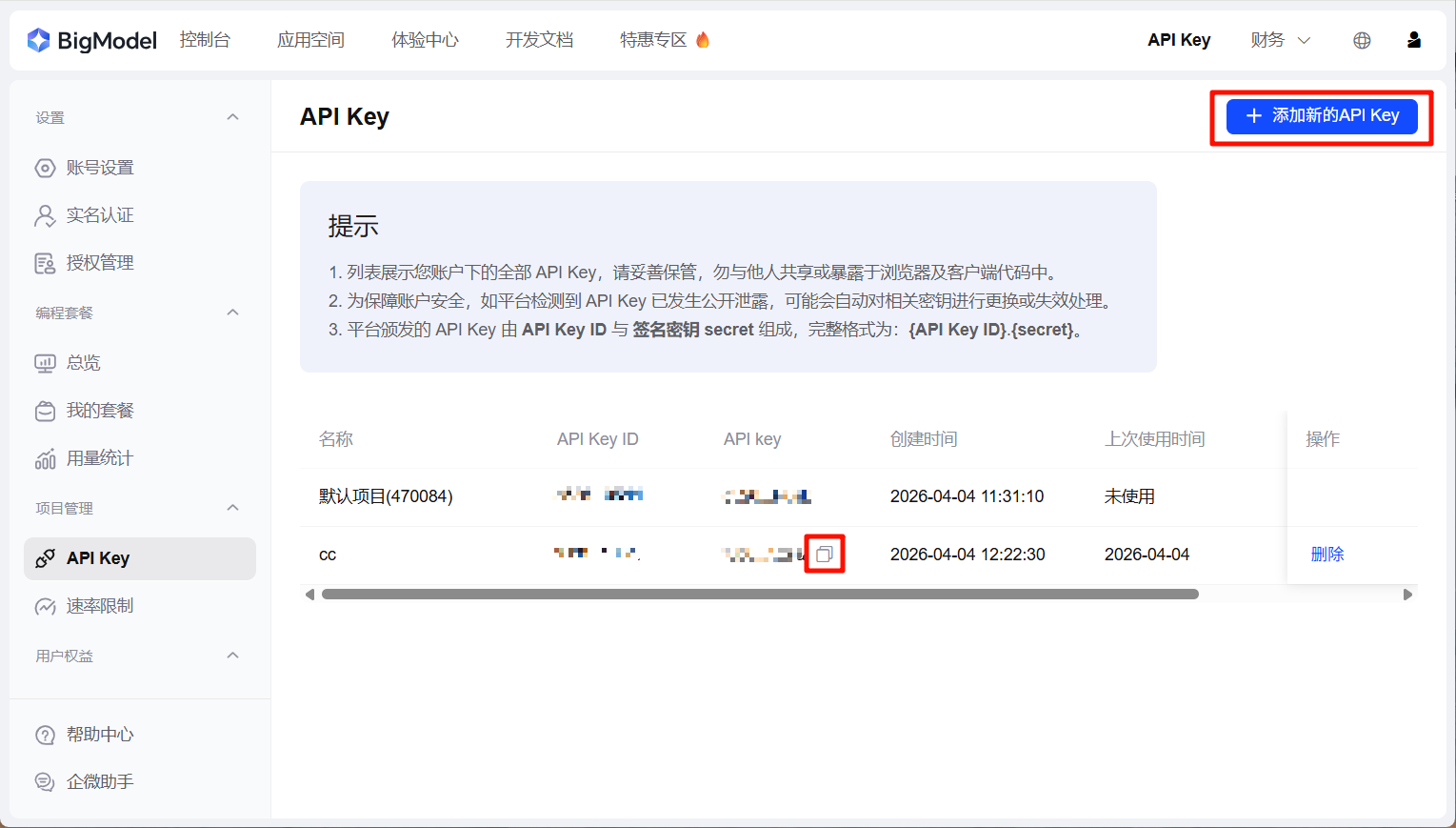
获取免费API Key
前往 https://bigmodel.cn/usercenter/proj-mgmt/apikeys 注册账号, 新用户可添加企微助手微信免费领取tokens
领取成功后继续在上述网址中添加新的API Key
修改模型
在C:\用户名\.claude中找到settings.json, 替换整个文本内容为:
1 | { |
修改your_zhipu_api_key为刚刚新增的API key, 保存
在C:\用户名\.claude.json文件中添加一行配置:
1 | { |
配置成功后,请确保重新打开一个新的终端窗口,以便环境配置生效。
使用
重新打开一个终端窗口, 输入claude
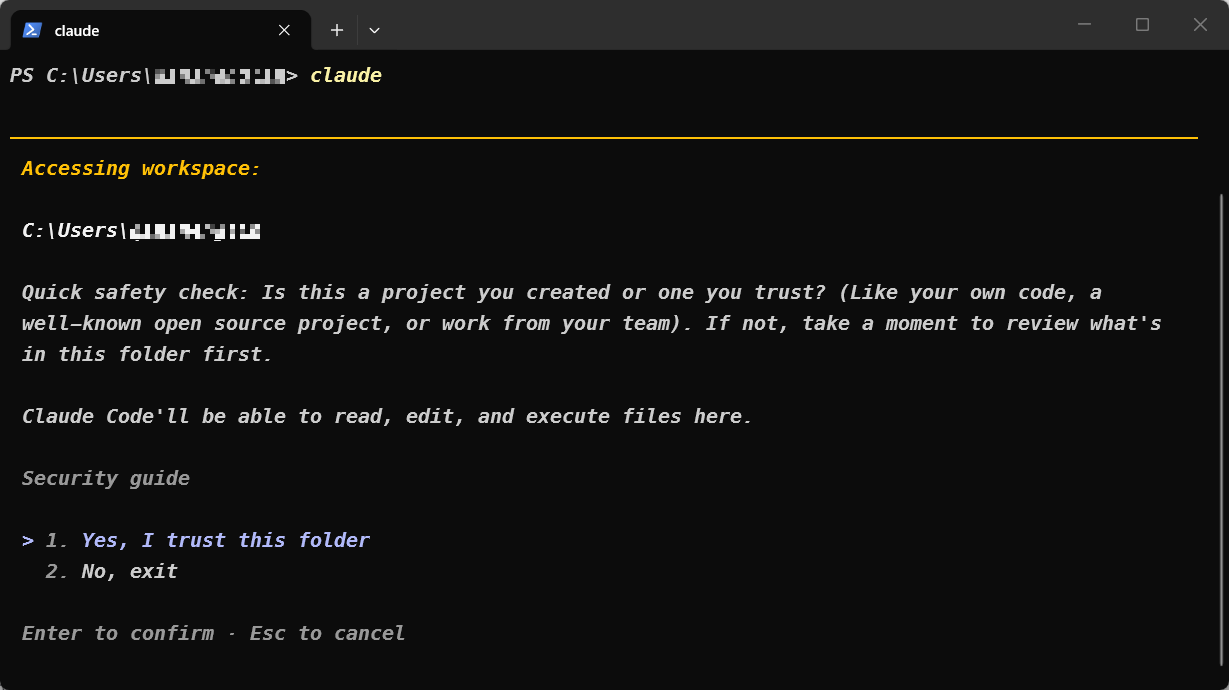
选择 Yes 然后回车
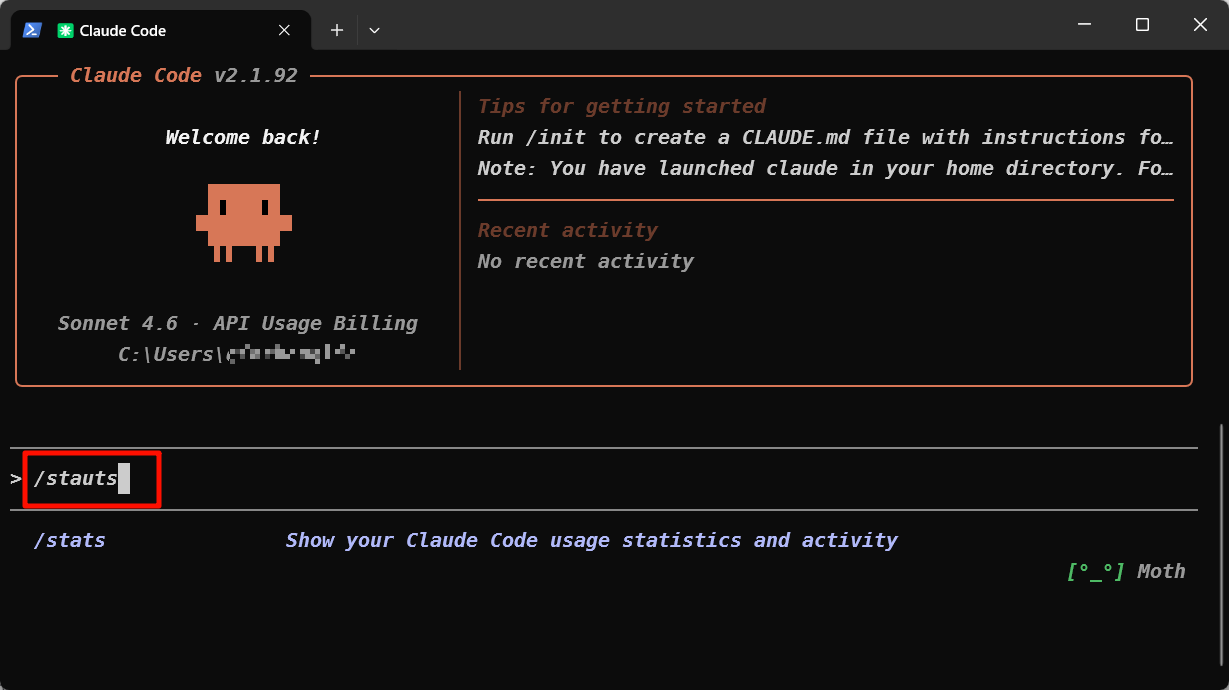
进入该页面说明启动成功, 输入/status命令查询当前API是否配置成功
如果Anthropic base URL的值是https://open.bigmodel.cn/api/anthropic说明模型已切换, 至于Model还是claude-sonnet-4-6是因为默认为服务端模型映射,即界面上看到的是 Claude 模型但实际是 GLM 模型。
后续使用就可以在power shell中先cd到项目目录, 输入claude启动, 然后就可以通过Claude code来修改代码了
卸载
在power shell中输入两行命令即可卸载claude code
1 | Remove-Item -Path "$env:USERPROFILE\.local\bin\claude.exe" -Force |
其他大模型
KIMI
网址: https://platform.moonshot.ai/console/api-keys
BigModel
网址: https://bigmodel.cn/usercenter/proj-mgmt/apikeys
MINIMAX
网址: https://platform.minimaxi.com/user-center/basic-information/interface-key